

border-bottom-style
Introduction
Sets the style type of the bottom border of an element. Used when you need to specify the bottom border style separately.
Usage Examples
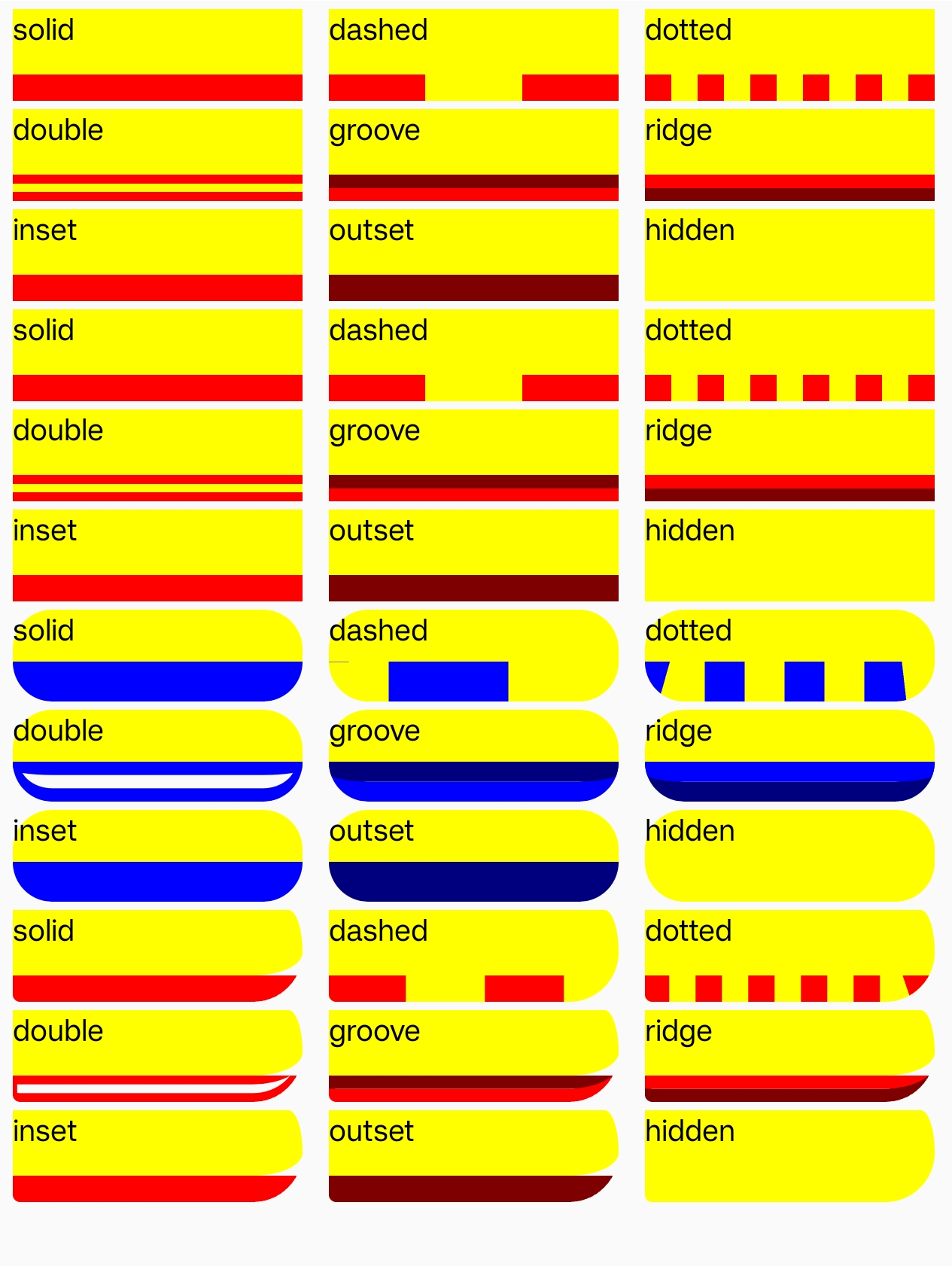
Syntax
Values
none: No border style (border width remains unchanged)hidden: Hides the border (equivalent tonone, used in table layouts to resolve border conflicts)dotted: Dotted border (renders as a solid line)dashed: Dashed border (renders as a solid line)solid: Solid linedouble: Double line (total width equalsborder-widthvalue)groove: 3D groove effect (depends onborder-color)ridge: 3D ridge effect (depends onborder-color)inset: Inset effect (depends onborder-color)outset: Outset effect (depends onborder-color)
Formal Definition
| Initial value | solid |
| Applies to | All elements |
| Inherited | no |
| Animatable | no |
Formal Syntax
Differences from the Web
- MDN Reference
- Different default value (Web uses
none) - When set to
noneorhidden, the border width remains unchanged (on the Web, it is set to0) - Does not support global values like
inherit,initial,revert, andunset
Compatibility
LCD tables only load in the browser