

vertical-align
Introduction
The vertical-align property sets vertical alignment of inline element.
Examples
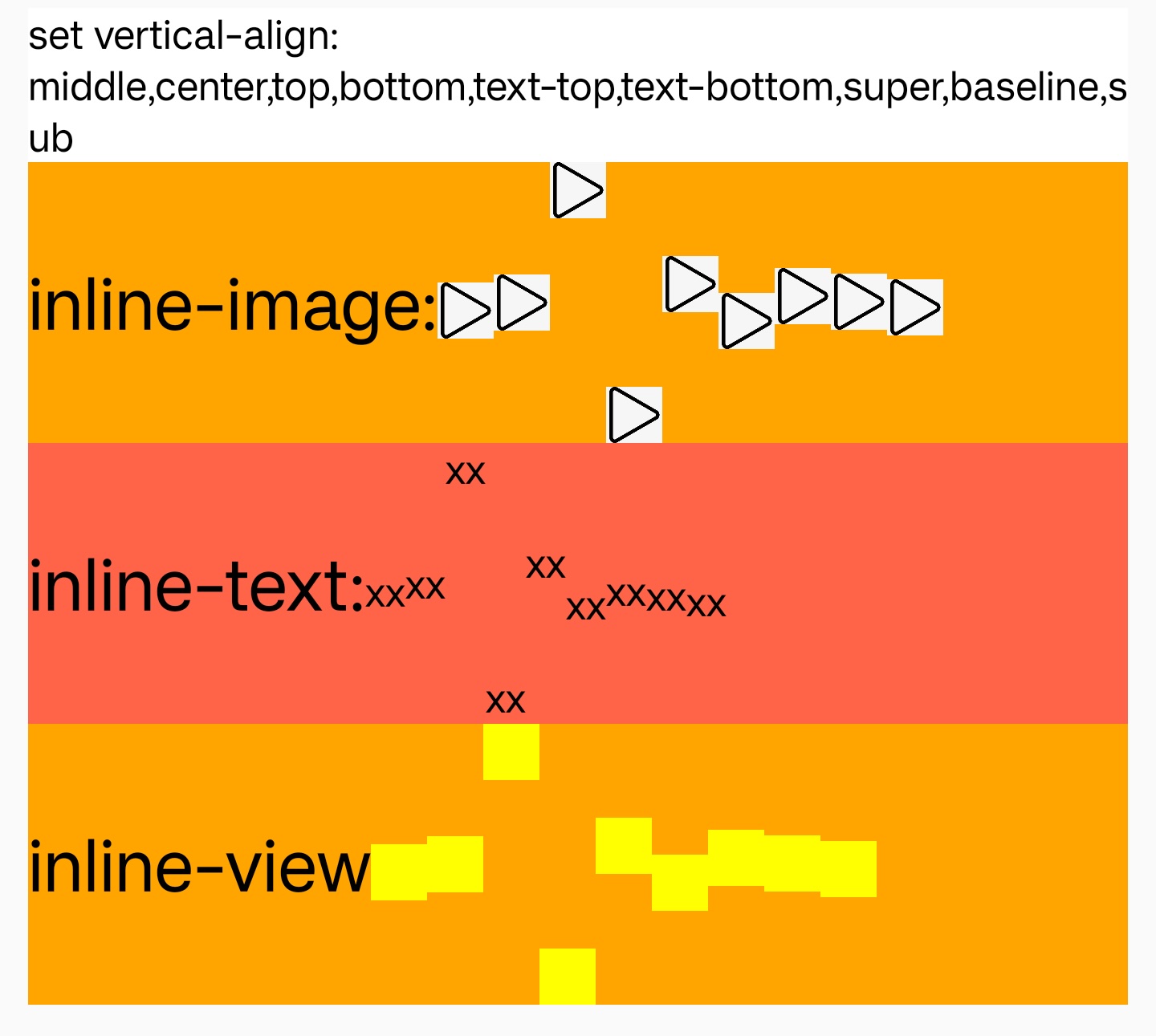
Syntax
Values
-
<length>supportlengthin Lynx,aligns the baseline of the element to the given length above the initial baseline,a negative value is allowed. -
<percent>Shift a percentage of theline-height,a negative value is allowed. -
baselineAligns the baseline of element with the baseline of line. -
middleGet max x-height of all of text,aligns the middle of element with the position of half max x-height. -
centerAligns the middle of the element with the middle of line. -
topAligns the top of the element with the top of line. -
bottomAligns the bottom of the element with the bottom of line. -
text-topGet max ascent of all of text,aligns the top of element with the position of max ascent. -
text-bottomGet max descent of all of text,aligns the bottom of element with the position of max descent. -
superUpward shift 10% of the element's height. -
subDownward shift 10% of the element's height. -
default value baseline
Formal definition
| Initial value | baseline |
| Applies to | inline-text、inline-image、inline-view |
| Inherited | no |
| Animatable | no |
Formal syntax
Difference with Web
Notes
- When the'text 'element nests the'view', the default text baseline is aligned to the bottom of the'view ', and the 'vertical-align-baseline' needs to be explicitly set on the'view 'to ensure that the text baseline is aligned to the'view' text baseline.
Compatibility
LCD tables only load in the browser