

relative-align-bottom
Introduction
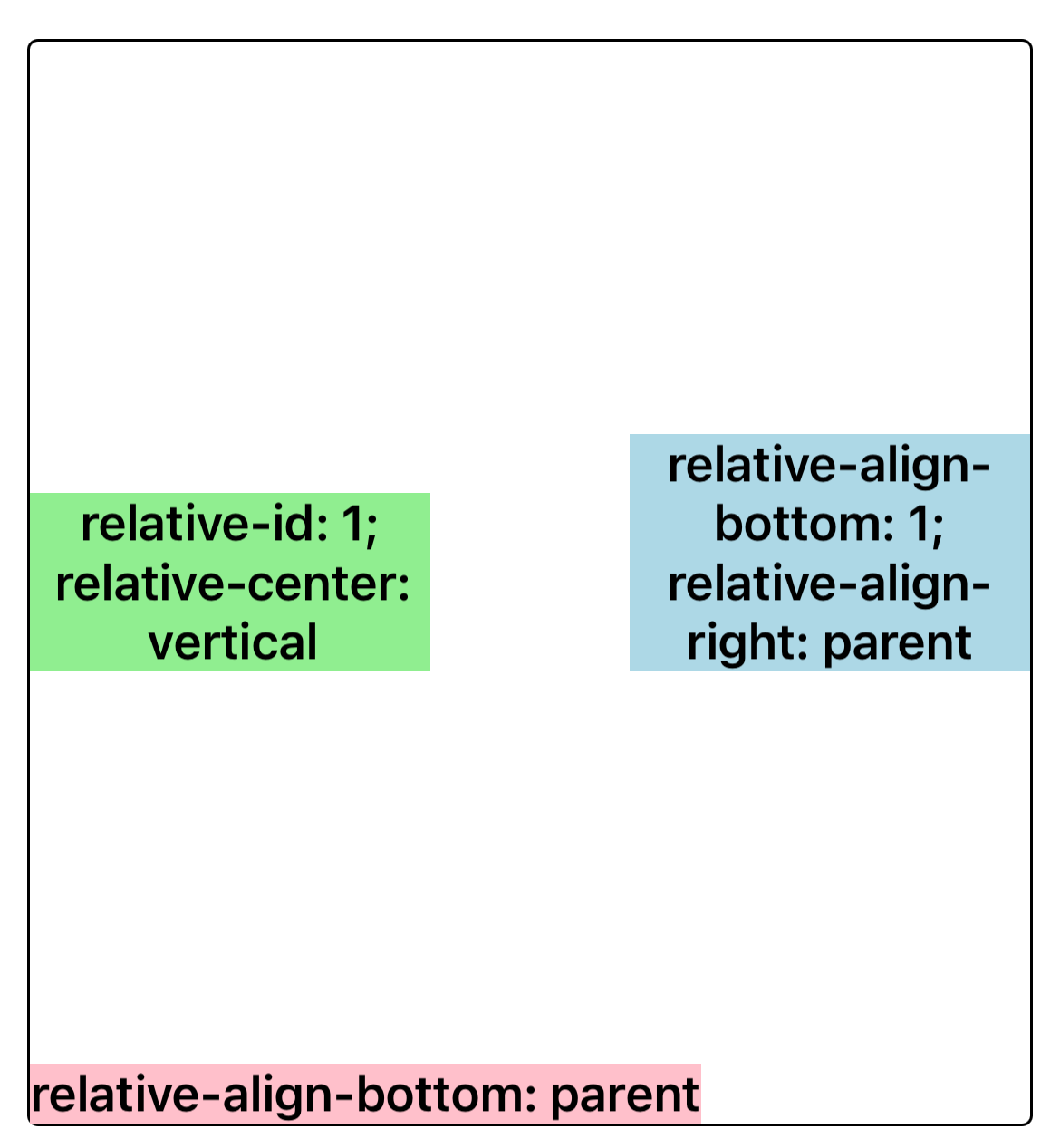
In relative-layout, specifies that the current element is aligned with the bottom edge of the parent or sibling element corresponding to id.
Examples
Syntax
Values
-
noneDefault Value. Does not align on the bottom edge.
-
parentThe bottom edge is aligned with the parent element.
-
<number>intonly. The bottom edge is aligned with the sibling element corresponding to this value(refer torelative-id).InfoAttention please when setting
relative-id:-1and0are special values.-1is the default value, indicating that the current element will not be considered as the alignment reference standard for sibling elements. Using0as an element ID is not allowed, as it will result in unexpected behavior.
Formal definition
| Initial value | none |
| Applies to | relative items |
| Inherited | no |
| Animatable |
Formal syntax
Difference between web
- There is no such style in web.
Compatibility
LCD tables only load in the browser