

Deprecated linear-layout-gravity
This API is deprecated.
Introduction
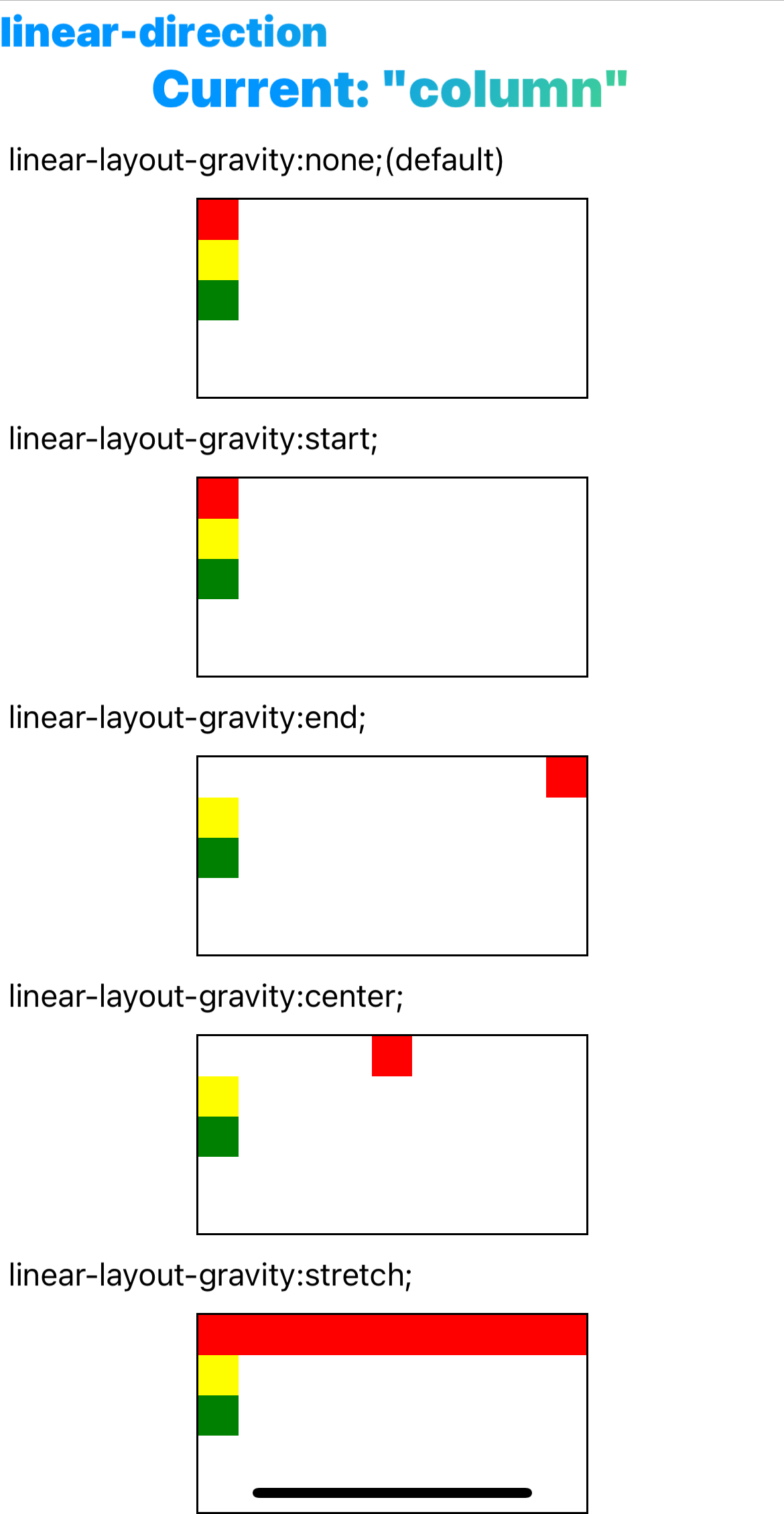
The position of the child element in the linear container, perpendicular to the layout direction, is a property of the child element's layout, similar to align-self in flexible box layout.
When using linear-layout-gravity, align-self, linear-cross-gravity, and align-items simultaneously in a linear layout, the priority decreases from the first to the last. A higher-priority style will override a lower-priority style.
Examples
Syntax
Values
-
noneDefault value。When the size of the parent element cross axis size(such as the
widthwhenlinear-direction: column) is fixed, and the size of the child element in this direction is auto,nonewill be equivalent tofill-horizontalorfill-vertical. In other cases it is equivalent toleftortop. -
stretchFill the container's cross axis.
-
startAlign the beginning of the parent element's cross axis.
-
endAlign the end of the parent element's cross axis.
-
centerAlign the center of the parent element's cross axis.
-
topDeprecatedAlign the top of the parent element, the horizontal layout takes effect.
-
bottomDeprecatedAlign the bottom of the parent element, the horizontal layout takes effect.
-
leftDeprecatedAlign the left side of the parent element, vertical layout takes effect.
-
rightDeprecatedAlign the right side of the parent element, vertical layout takes effect.
-
center-verticalDeprecatedCentered in the vertical direction, the horizontal layout of the parent element takes effect.
-
center-horizontalDeprecatedCentered in the horizontal direction, the vertical layout of the parent element takes effect.
-
fill-verticalDeprecatedFill the entire container vertically, and the horizontal layout of the parent element takes effect.
-
fill-horizontalDeprecatedFill up the container horizontally, and the vertical layout of the parent element takes effect.
Formal definition
| Initial value | none |
| Applies to | linear items |
| Inherited | no |
| Animatable |
Formal syntax
Difference between web
- No such style in Web.
Compatibility
LCD tables only load in the browser
FAQ
-
Noneandtop/leftinlinear-layout-gravityare not the same. The specific differences are as follows: -
When the parent's non-layout orientation is fixed size, none behaves the same as
fill-vertical/fill-horizontal, i.e., fills the parent's non-layout orientation.Nonebehaves the same astop/rightwhen the parent's non-layout orientation is not a fixed size.