

height
Introduction
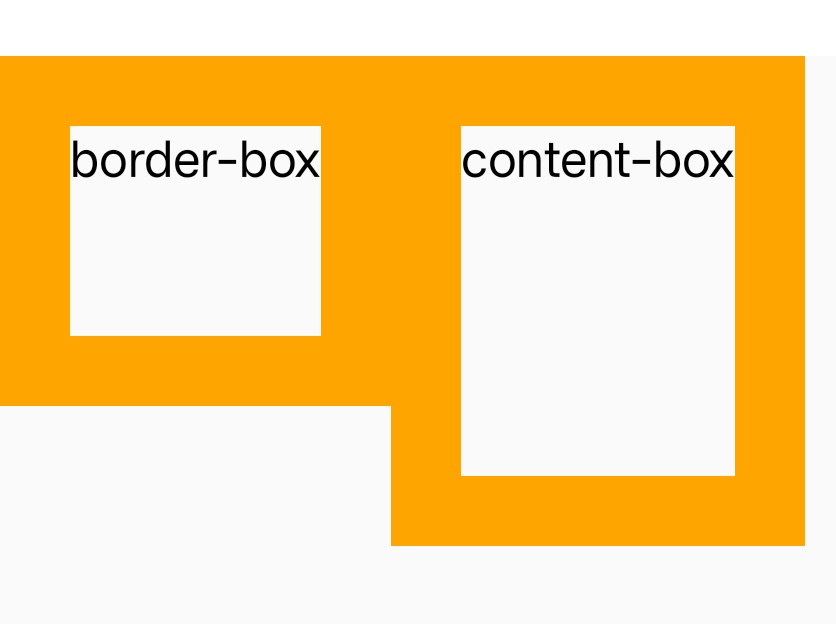
The height CSS property specifies the height of an element. By default, the property defines the height of the border area. If box-sizing is set to content-box, however, it instead determines the height of the content area.
The min-height and max-height properties override height.
Examples
Syntax
Values
-
autoDefault value. lynx will calculate and select a height for the specified element.
-
<length><length>defines the height as a distance value. -
<percentage>Defines the height as a percentage of the containing block's height.
-
max-contentThe intrinsic preferred height.
-
fit-contentfit-contentuses the computed size with the available space replaced by the specified argument.
Formal definition
| Initial value | auto |
| Applies to | all elements |
| Inherited | no |
| Animatable | yes |
| Percentages | The percentage is calculated with respect to the height of the generated box's containing block |
Formal syntax
Difference with the web
- By default, the property defines the height of the border area, while Web is
content area. min-contentis not supported.
Compatibility
LCD tables only load in the browser