

border-right-style
Introduction
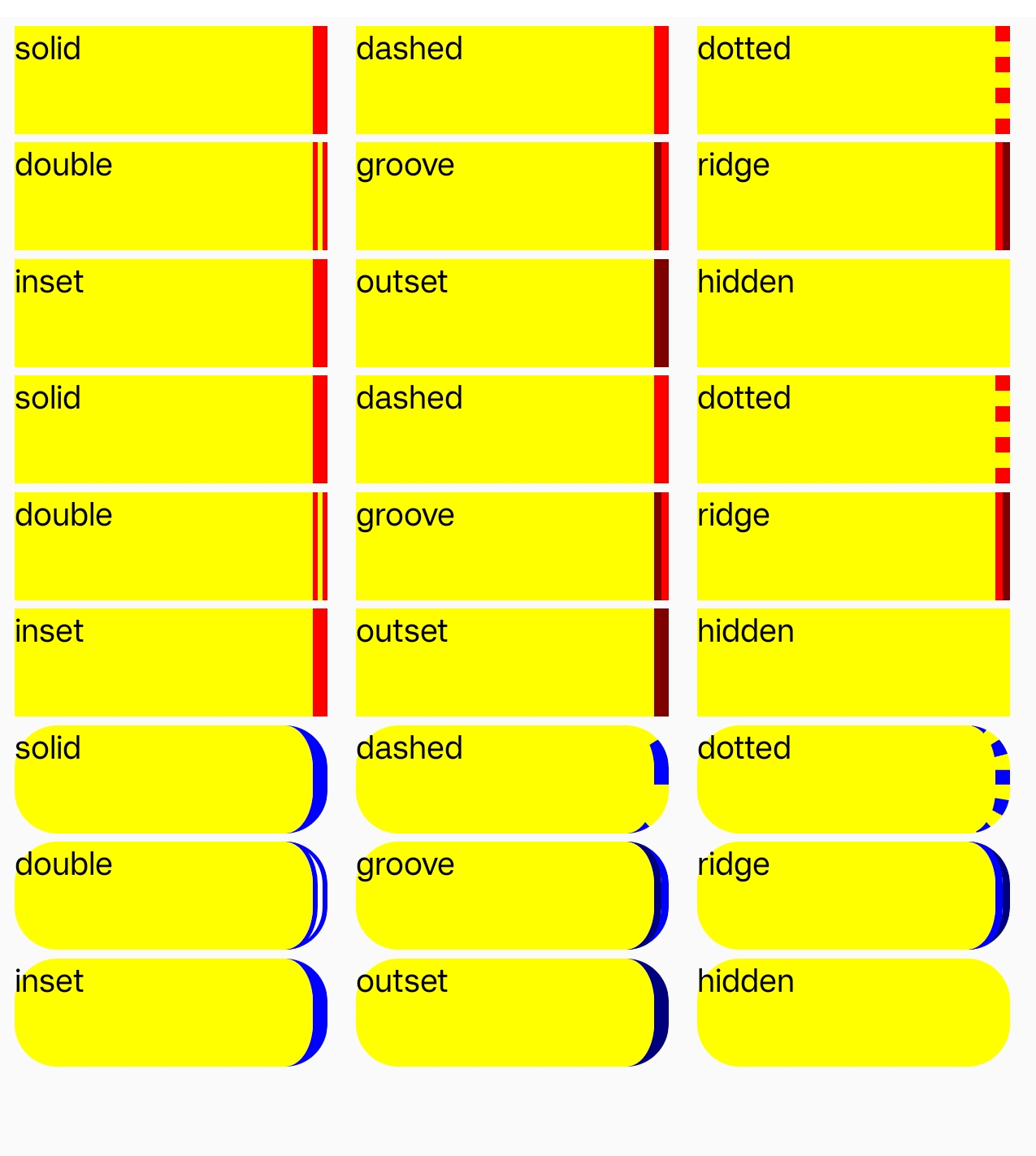
The border-right-style CSS property sets the line style of an element's right border.
Examples
Syntax
Values
-
noneLike thehiddenkeyword, displays no border. -
hiddenLike thenonekeywork, displays no border. -
dottedDisplays a series of rounded dots. The spacing of the dots is not defined by the specification and is implementation-specific. The radius of the dots is half the computed value of the same side'sborder-width. -
dashedDisplays a series of short square-ended dashes or line segments. The exact size and length of the segments are not defined by the specification and are implementation-specific. -
solidDisplays a single, straight, solid line. -
doubleDisplays two straight lines that add up to the pixel size defined byborder-width. -
grooveDisplays a border with a carved appearance. It is the opposite of ridge. -
ridgeDisplays a border with an extruded appearance. It is the opposite of groove. -
insetDisplays a border that makes the element appear embedded. It is the opposite of outset. -
outsetDisplays a border that makes the element appear embossed. It is the opposite of inset.
Formal definition
| Initial value | solid |
| Applies to | all elements |
| Inherited | no |
| Animatable | no |
Formal syntax
Differences from web
Global values are not supported (inherit, initial, revert, unset, etc).
When value is 'none' or 'hidden', the border-width value is not 0.
Default value is 'solid'.
Compatibility
LCD tables only load in the browser