

Custom properties (--*): CSS variables
Introduction
CSS variables, are defined with a specific syntax (e.g., --main-color: black;) and their values are accessed using thevar()function (e.g., color: var(--main-color);). Custom properties store a value in one place and allow it to be referenced in multiple other places throughout the stylesheet, promoting reusability and maintainability.
Examples
Syntax
Basic Usage
Declaration
CSS Variable is a property whose name starts with two hyphens (-), such as --foo, which can be referenced with var() after it is defined.
You can delcare CSS variables in style attribute as well.
CSS Variables can be defined in the :root selector to take effect globally, or in a separate selector to take effect on the applied element and its child elements.
How To Reference CSS variables
You use CSS variable by referencing the property in a var() function in place of a standard property value
You can use them in style attributes as well:
And a CSS variable is able to be a value of another:
Default Values
When a CSS variable cannot find a defined CSS variable value, a preset default value can be used:
The part of the var() function after the first comma is returned as a whole and used as an alternate value for var().
CSS Variable With Calc expressions
In the CSS Variable declaration, the property value cannot be directly mathematically operated, and needs to use the calc() function, similar to:
CSS Variable Scope
Like ordinary properties, the inheritance and priority of CSS variables also follow the CSS cascading rules. If no CSS variable is defined on an element, the value of that variable is inherited from its parent element. Look up according to the cascading relationship. Finally, the root element is found, which is the variable defined by the :root selector used in the previous example. Therefore, the scope of a variable is the valid scope of the selector it is in.
Since CSS Variable is defined in the selector, the scope is the same as that of the selector. When the selector is applied to an element, the CSS variable on the selector will also be applied to the element.
For the above example, the values of the var(--main-bg-color) variable are:
- For elements with
class="three": blue; - For elements with
class="four": red;
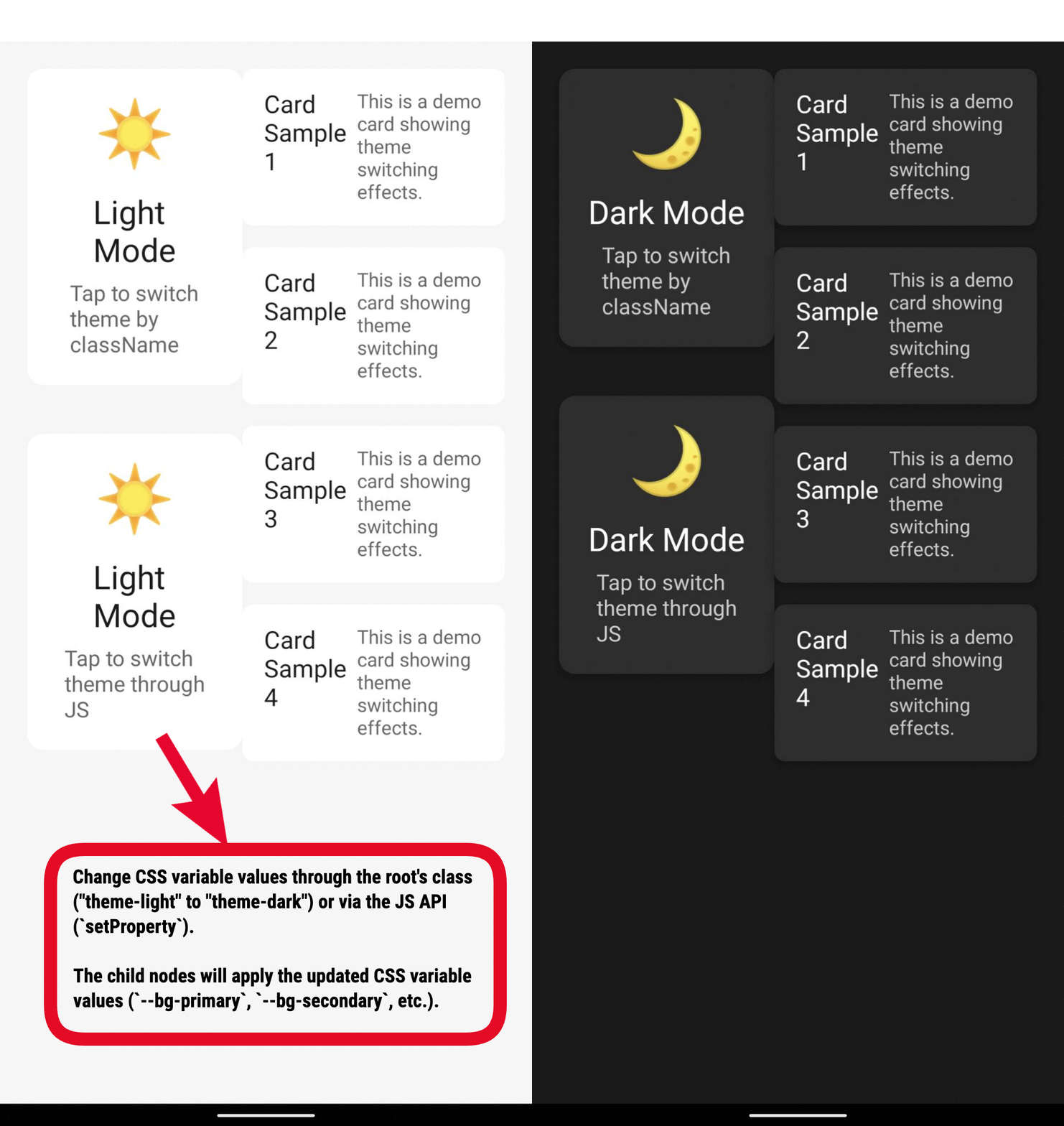
Modifying the Value of CSS Variables
Modifying CSS Variables via JavaScript API
You can modify the value of css-variable by using the API on the JS side:
Get an element node through the lynx.getElementById().setProperty method, and modify the value of css-var on the node:
setProperty method's params must be Object or String.
Modifying the Selector that Declares CSS Variables
In a selector, you can declare the value of CSS variables. By switching the selector applied to the corresponding ancestor node, you can modify the corresponding value of the CSS variables.
In the example above, by toggling the class 'a' or 'b', you can achieve the effect of modifying the corresponding variable --main-bg-color.
Compatibility
LCD tables only load in the browser