

padding
Introduction
Sets the padding area on all four sides of an element at once. An element's padding area is the space between its content and its border.
This property is a shorthand for the following CSS properties: padding-top, padding-right、padding-bottom, padding-left.
Examples
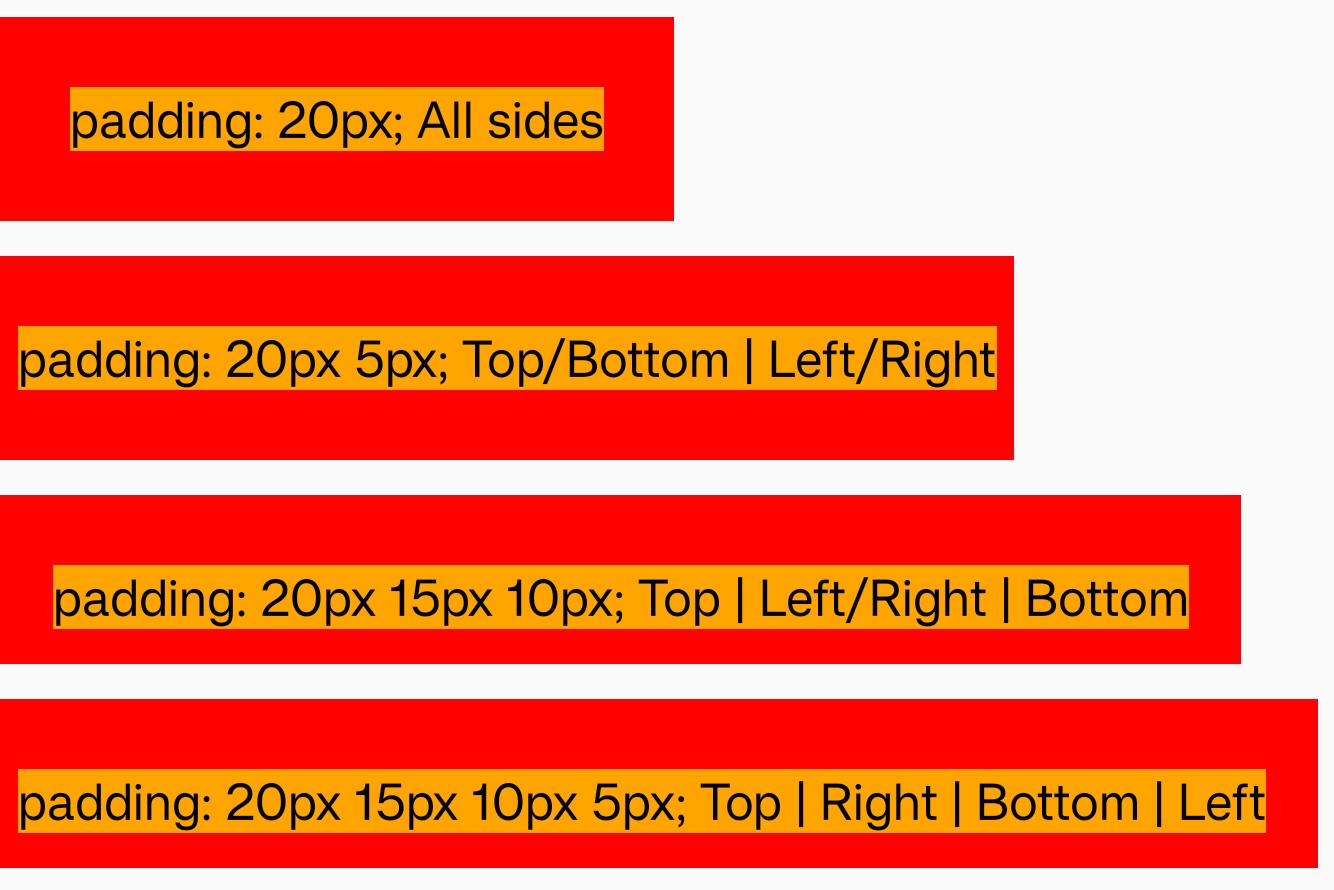
Syntax
The padding property may be specified using one, two, three, or four values. Each value is a <length> or a <percentage>. Negative values are invalid.
When one value is specified, it applies the same padding to all four sides. When two values are specified, the first padding applies to the top and bottom, the second to the left and right. When three values are specified, the first padding applies to the top, the second to the right and left, the third to the bottom. When four values are specified, the paddings apply to the top, right, bottom, and left in that order (clockwise).
Values
0px
Default value.
<length>
<length> means that the size of the padding as a fixed value. Must be nonnegative.
<percentage>
The size of the padding as a percentage, relative to the inline size (width) of the containing block.
Formal definition
| Initial value | as each of the properties of the shorthand:
|
| Applies to | all elements |
| Inherited | no |
| Animatable | |
| Percentages | refer to the width of the containing block |
Formal syntax
Compatibility
LCD tables only load in the browser